Rollback Pay Run — Undo one or more pay periods
Use Rollback Pay Run to reverse and reprocess the payroll for one or more employees across two or more previous pay periods. This lets you make corrections without affecting the rest of the payroll.
Rollback Pay Run is designed for underpayments. If using it to correcting an overpayment A situation in which an employee receives more money than they are entitled to, often due to an error in the payroll calculations., you must:
- Check that pension contributions still meet the minimum amount after amendment.
- Collect the overpayment in future pay periods with a written agreement from the employee.
For more information about overpayments, go to the ACAS guide - Reclaim money owed by an employee. External website
If a mistake with payments was made in a previous tax year, an Earlier Year FPS must be completed and sent instead.
Before starting Rollback Pay Run
Before starting the rollback process in Staffology Payroll.
- Check if there are open pay periods. If the pay period is open or not ready to be finalised, to rollback the open payrun must be deleted.
- Check there is a copy of the reports produced for the following:
- At the start of the rollback period.
For each additional period finalised.
For example, if the payroll is in month 6, and you want to rollback to month 2, reports are needed for month, 2, 3, 4, 5, and 6.
It is recommended to get a of the following reports:
- Gross to net.
- Analysis Report with employee breakdown.
- Payslips.
- P30 Month end summary report, highlights the amount to be paid to the HMRC for that tax month. or P32 Month end summary report, highlights the amount to be paid to the HMRC for that tax month..
What Rollback Pay Run does not do
It is important to be aware that during the Rollback Pay Run process, the following items are not recalculated. Most of them cannot be manually edited, unless stated in this guidance. To make adjustments, use a separate pay code.
- Absences and leave entries
- Benefits
- Loans
- Pension refunds
- Permanent changes made to the employee record
-
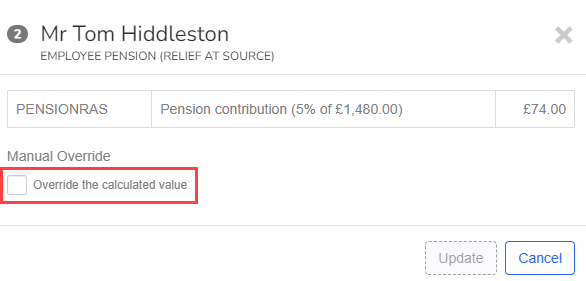
Pension deductions — To recalculate during the payrun, select pension pay, then select Override this calculated value. The employer is responsible for correcting any under or overpayment directly with the pension provider.
-
The employees pension status is not reassessed. The same status as the original pay run is set.
What Rollback Pay Run does do
The Rollback Pay Run does recalculate the following:
- Tax — using the tax code for each period if they are different.
- National Insurance A system of contributions paid by workers and employers in the UK, which funds various state benefits, such as the State Pension and Jobseeker's Allowance. (NI)
- Student Loan A government loan that students can use to help pay for their education.
Your organisation is responsible for making sure any third parties, such as HMRC His Majesty's Revenue and Customs is a non-ministerial department of the UK Government responsible for the collection of taxes, the payment of some forms of state support, the administration of other regulatory regimes including the national minimum wage and the issuance of national insurance numbers., pension providers, and so on, are sent information about under or over payments made.
How to Rollback Pay Run in Staffology Payroll
Each employee that is being rolled back must have every pay period recalculated and finalised in order, one at a time. This is because a change to taxable pay in one period affects the tax calculation in the next for PAYE PAYE or Pay as you earn is an HM Revenue and Customs’ (HMRC) system to collect Income Tax and National Insurance from employment..
The current pay period must have been finalised before Rollback Pay Run can be used.
- Go to Payroll.
-
Select View previous pay runs.
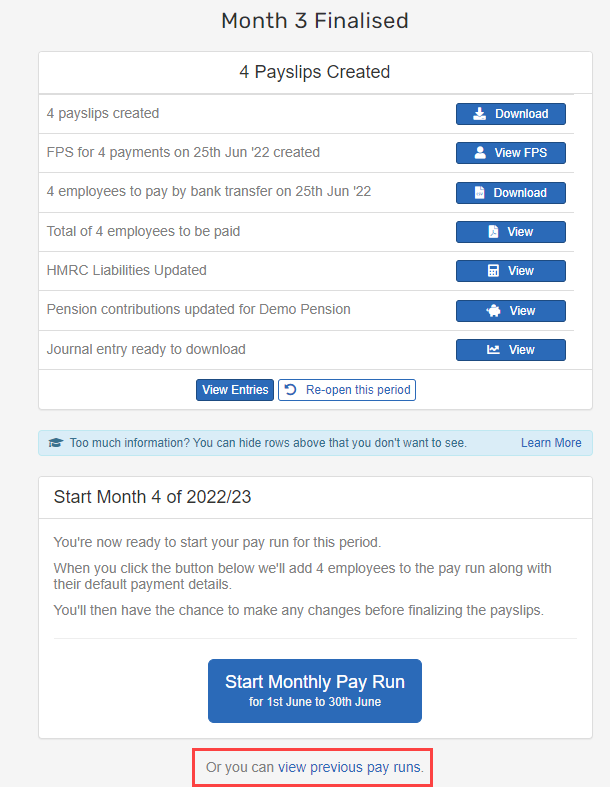
- Select the required period.
-
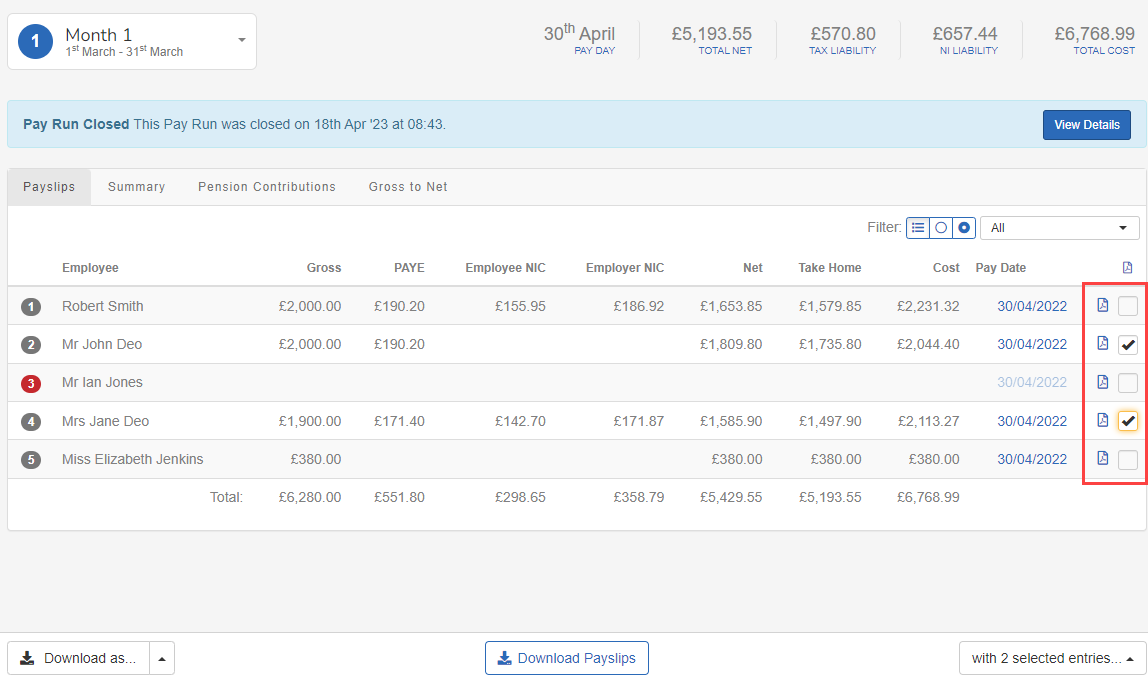
Select the employees to rollback.
-
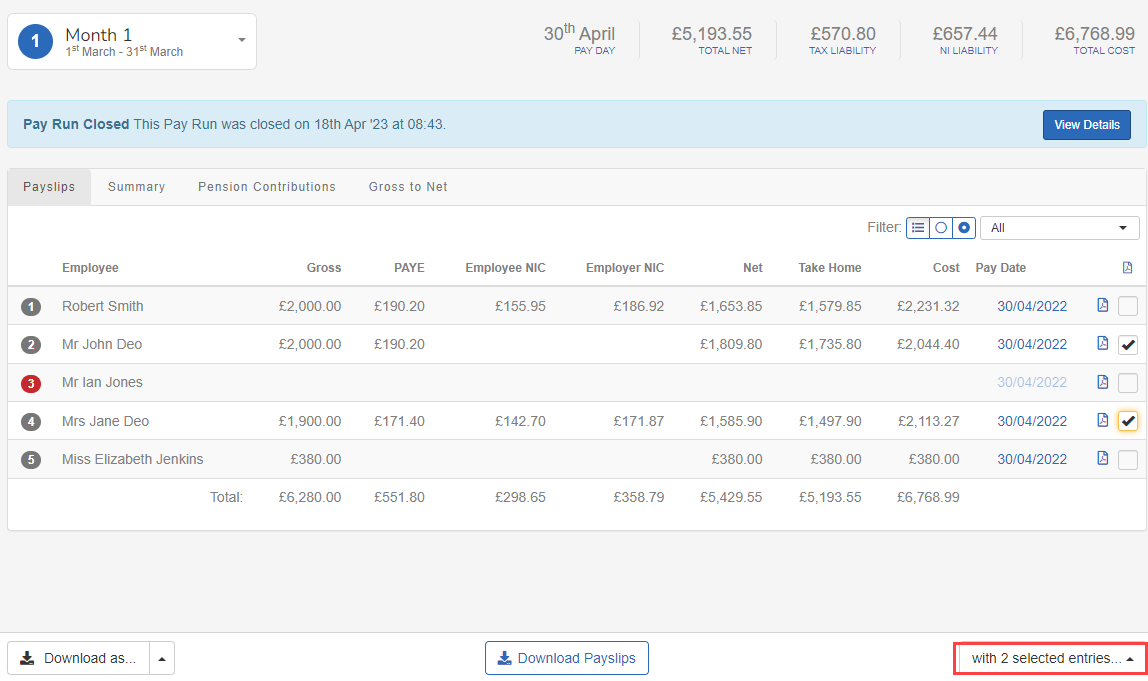
Select with x selected entries... (Where x is the number of employees selected).
-
Select Rollback Pay Run.
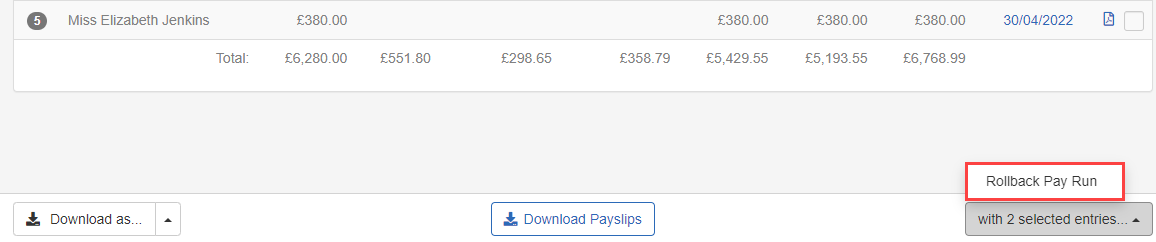
-
Select Start rollback.
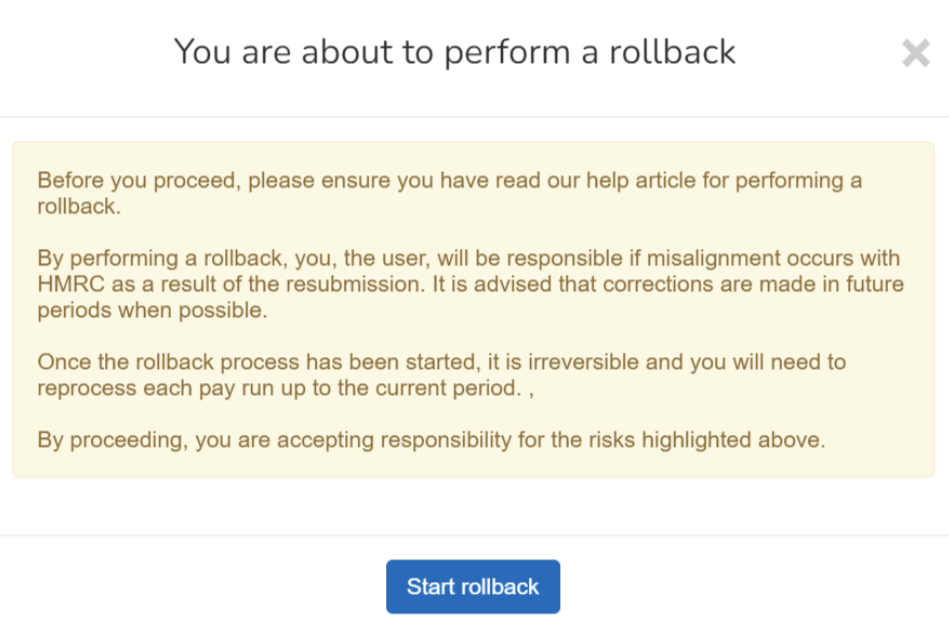
When rollback has been started, it must be rerun up to the current period.
-
Complete the pay run as normal for the rollback employees.
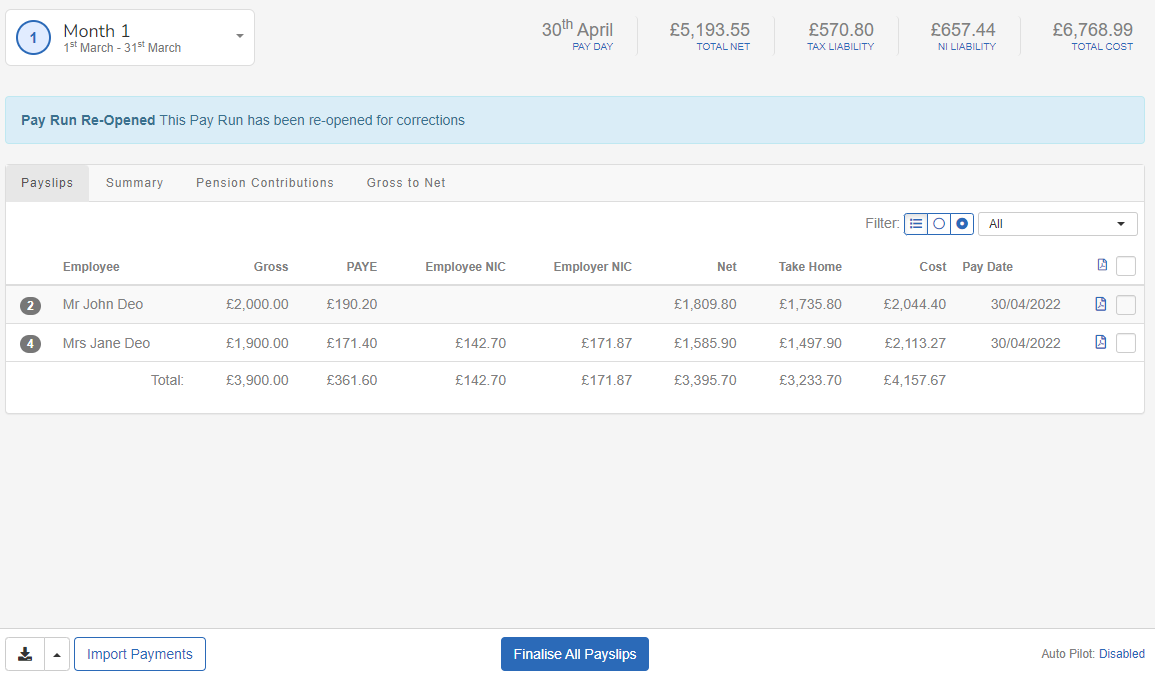
-
When complete submit an FPS for each period finalised during the rollback process.
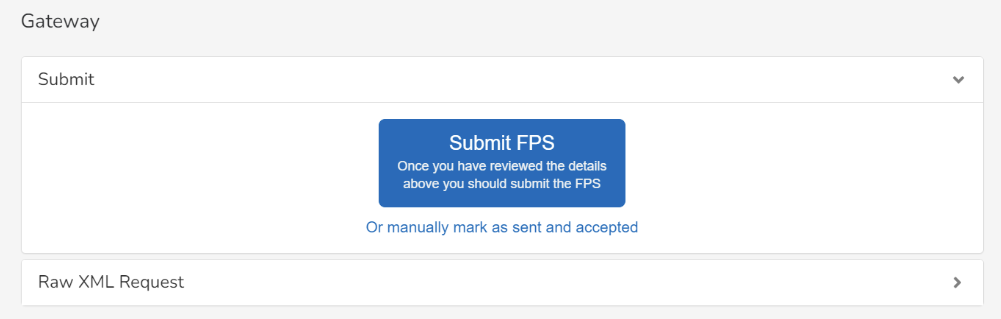
The resubmitted FPS Full Payment Submission is an RTI online submission to be sent on or before each payday. This informs HMRC about the payments and deductions for each employee. contains all employees, not just the employees selected for rollback. This replaces the previous FPS and is sent with the Reason Code: H correction to an earlier submission. HMRC guidance. External website
For guidance on correcting pay, go to GOV.UK Guide — Wrong amount or made incorrect deductions. If a misalignment occurs, contact HMRC directly.
 Related topics: