July 2025
What's new
Find out about the changes we've made.
You can also check our known issues, fixes and what's coming soon.
30th July
-
We have fixed an issue where the year to date figures were not matching with payroll when published using My ePayWindow.
-
When in the employee record, you can now search for employees. Enter at least three characters. This includes letters, numbers, special characters and spaces.
-
You can search for employees by name, payroll code or NI Number.
-
There is a limit of 50 results shown in the results.
-
-
When you select the employees name while in the employee record, we now show a list of employees with payroll code. This is displayed by employee code.

29th July
-
You can now choose to include Apprenticeship Levy The Apprenticeship Levy is a UK tax on employers which is used to fund apprenticeship training. It is payable by all employers with an annual pay bill of more than £3 million, at a rate of 0.5% of their total pay bill. It is collected through PAYE alongside other employment taxes. values in your Payrun Journal. This allows for more complete payroll costings and accurate reconciliation.
24th July
-
You can now import pension memberships directly using a CSV import file.
-
You can now import and update benefits directly using a CSV file.
18th July
-
When you make changes to an employee record, and select Update Employee, we now remain in the employee record. To get the employee list, select Employees.
-
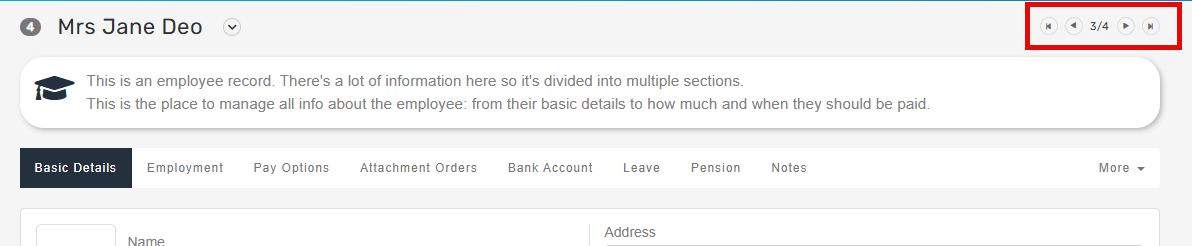
We have added navigation buttons to skip between employees, the current tab selected will now be automatically selected when moving to the new employee.
15th July
-
You can now run a pension report for Aegon Smart Enrol. This has to be set by:
-
Open the required company.
-
Go to Pensions.
-
Select the required pension.
-
Go to Provider.
-
Go to CSV Format and select Aegon Smart Enrol.
The report can be produced using the Pensions & AE report.
-
14th July
-
You can now import and update benefits, this replaces the previous import of benefits.
Fields which can be updated:
-
Declaration Type
-
Tax year
-
Description
-
Value
-
Employee Contribution
-
Asset Type
-
Use of Asset Type
-
Class 1A Employers pay these directly on their employee’s expenses or benefits. Type
-
Non Class 1A Type
-
Payment Type
-
Is Period Value
-
Start Date
-
End Date
-
-
You can now import and update payments and deductions. Permanent addition & deductions payments fields.
8th July
- We now restrict uploading of documents to pdf, doc, docx, jpg, jpeg, png, tiff, csv, xls, xlsx. This is a security measure.