Produce P11D working sheets
Create a P11D to detail benefits and expenses
- Go to Reports.
- Select Statutory.
- Select P11D P11D is used by employers to report end-of-year expenses and benefits for employees who earned more than £8,500. Employees who receive Benefits in Kind (BiK) are entitled to an end of year report that outlines their benefits and expenses in the tax year..
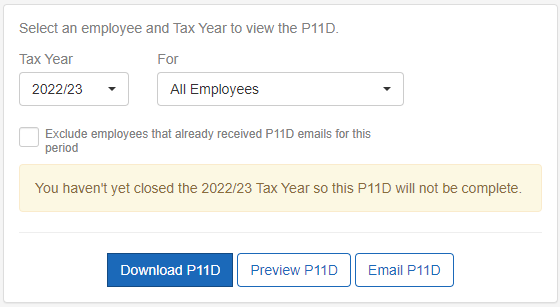
- Select the Tax Year.
-
Select a For option:
-
If A Single Employee:
-
Enter the employee's name in Search Employees.
-
Select the correct employee from the list of results.
-
-
If All Employees is chosen, no further options are needed:
-
If required, select Exclude employees that already received P11D emails for this period.
-
-
- Select Download P11D, Preview P11D, or Email P11D.