Turn on app notifications
To receive updates on your device about requests, such as absences When an employee or worker is absent from work. This can be for a variety of reasons.:
-
Open the Staffology HR mobile app.
-
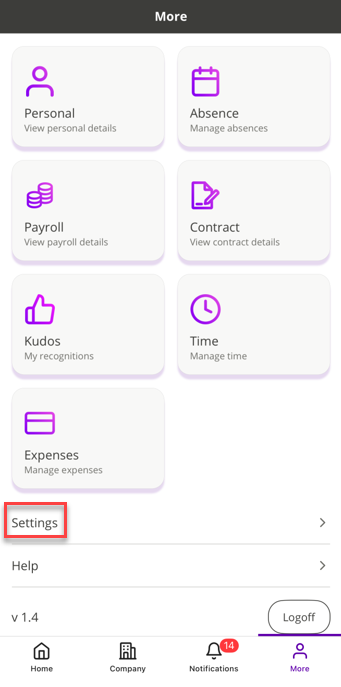
On your Home screen, select More.
-
Choose Settings.
-
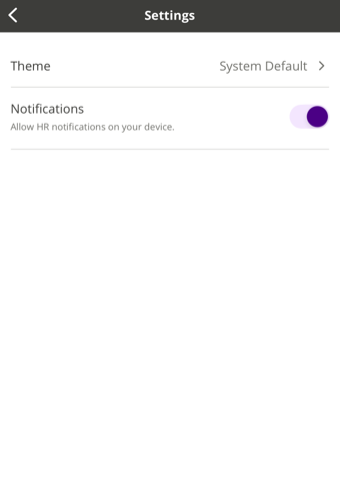
Tap Notifications to turn them on.
-
A confirmation message displays confirming you have allowed notifications on your device.