Update your app screen display
Both light and dark mode are available in the mobile app.
To change your app's screen display:
-
Open the Staffology HR mobile app.
-
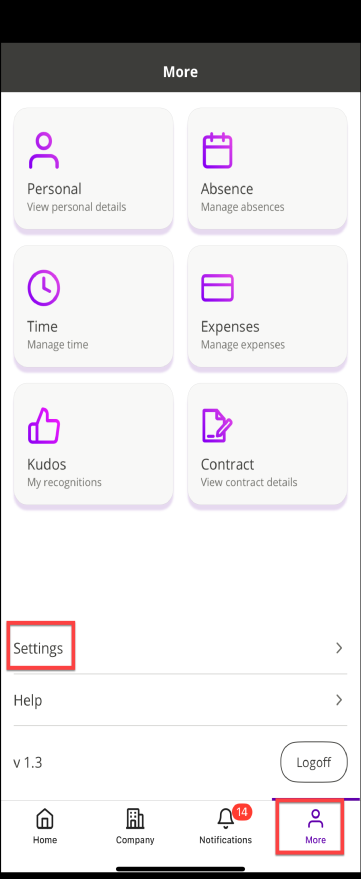
On your homepage, at the bottom right of the screen, select More.
-
Choose Settings.
-
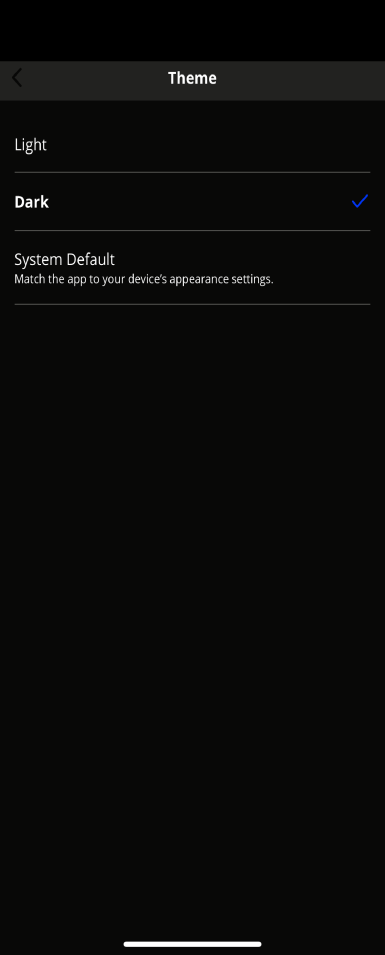
Tap on Theme.
-
Three options display. System Default is set automatically.
-
To match the same theme of your device, select System Default or choose either Dark or Light.
-
The app has to restart to apply your chosen theme. Select Restart Now to apply your changes.