Cancel an approved absence
If you have the appropriate system permissions, you can send a request to cancel your unauthorised absence When an employee or worker is absent from work. This can be for a variety of reasons., such as a holiday. If he request is still pending, open Cancel or re-request a pending absence
To send an cancellation request for your holiday or other absence:
-
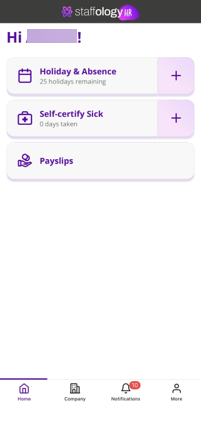
Open the Staffology HR mobile app.
-
On your Home screen, tap Holiday and Absence
-
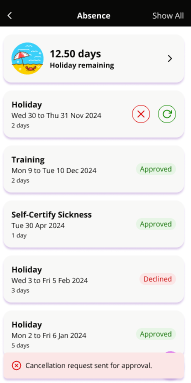
You can also select More > Absence to open your approved requests.
-
-
Tap on the approved absence you want to cancel.
-
Tap Cancel.
-
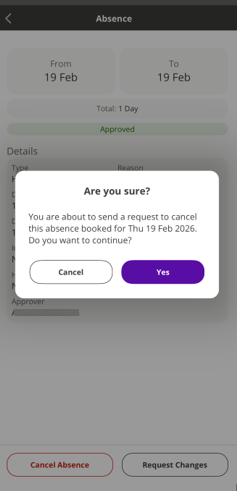
Select Yes on the pop-up to confirm you want to cancel the absence.
-
A message displays. Your cancellation request is sent to your line manager for approval. Check your email inbox for an update on if your cancellation request is approved or declined.